

We're thrilled to announce the release of Attive 1.1, introducing a major new capability that brings your data directly into the conversation.
📚 Introducing: Documents
Your team's knowledge, now accessible to AI.
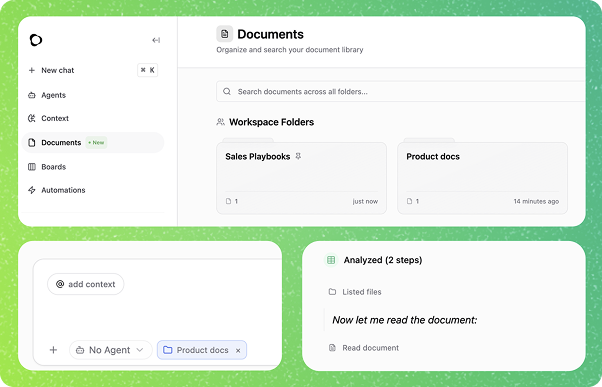
The biggest addition in this release is the Documents feature. This allows you to upload your own files—product manuals, sales playbooks, research papers, and more—so Attive can read, understand, and use them to give you better answers.
How it works
Instead of just relying on general knowledge, Attive can now reference your specific documents during chats. When you ask a question, the system searches through your uploaded files to find the exact paragraphs needed to answer you accurately, citing sources along the way.
Key Features
- Smart Processing and semantic search: Simply drag and drop your files. Attive automatically index them, to understand the meaning of your content, not just the keywords. Making the AI search way more powerful.
- Flexible Organization: Group your documents into Folders
- Workspace Folders: Share knowledge with your entire team (e.g., "Engineering Onboarding", "Q4 Strategy").
- Private Folders: Keep personal notes and drafts secure and accessible only to you.
- Broad Format Support: We support the files you already use: PDF, DOCX, Markdown, TXT, CSV, HTML, JSON, RTF, and EPUB.
Why you'll love it
- Sales: Upload competitive analysis and playbooks so the AI can help draft perfect email responses and handle objections on the fly.
- CSM: Reference implementation guides, QBR templates, and previous meeting notes to prepare for customer calls in seconds.
- Leadership / RevOps: Upload CSV exports of quarterly targets or pipeline data to "chat with your numbers" and spot trends instantly without building complex dashboards
Getting Started
Navigate to the new Documents tab in your sidebar to create your first folder and start building your team's brain.
💬 Chat Experience Improvements
We've refined the chat interface to help you stay focused during long, complex problem-solving sessions.
Collapsible Messages
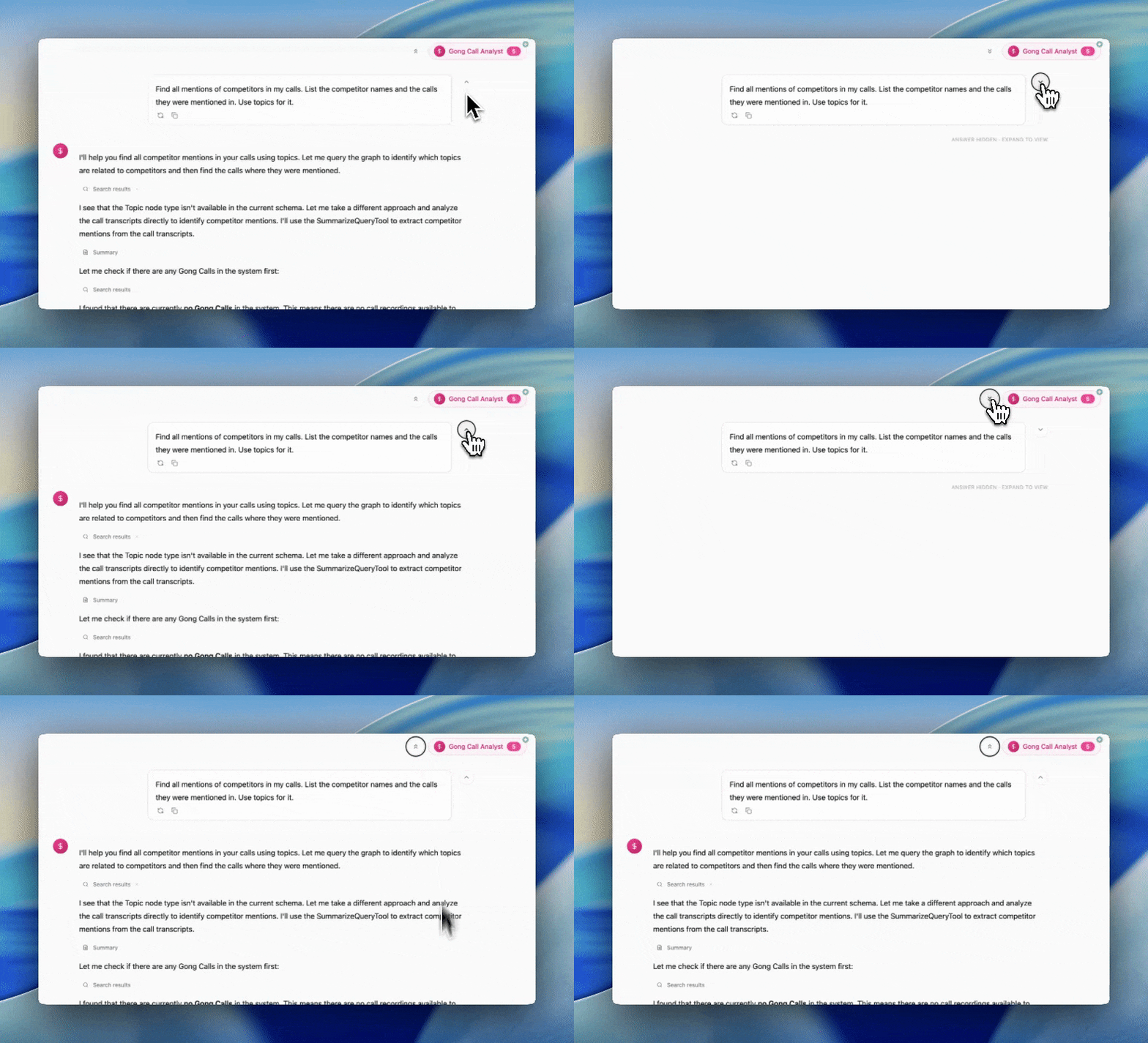
Long conversations can quickly get cluttered. You can now collapse past answers to keep your view clean and focus on your current train of thought.
- Focus on the Now: Collapse completed Q&A pairs to hide old information while keeping it accessible.
- Global Control: Use the new Expand/Collapse All button at the top of the chat to instantly declutter your entire history or reveal everything at once.
- Individual Toggles: Easily peek at a specific past answer without losing your place in the conversation.
Happy Building!
The Attive Team